Here is how to get your Twitch stream key from the Creator Dashboard on twitch.tv and paste it into SplitCam, or sign in to Twitch inside SplitCam instead.
Twitch help pages read 25 November 2026Free on Windows, Mac, Android and iPhone
The short answer
Where is my Twitch stream key? On twitch.tv: “Creator Dashboard” → “Settings” → “Stream” (steps).
Twitch server URL: most streamers don't need to set it by hand, Twitch says. If an app asks for the RTMP URL, the “Default” entry in Twitch's ingest list begins rtmp://ingest.global-contribute.live-video.net/app (step 3).
In SplitCam: sign in to Twitch or paste the key, in any of the four apps (where it goes).
What you can do on Twitch with SplitCam
Here is what each app does with Twitch.
SplitCam for Windows
Sign in to Twitch and SplitCam fetches your key, even after a reset. “Capture Game” grabs your game; Streamlabs or StreamElements alerts come in as a “Web Browser” source.
SplitCam for Mac
Sign in to Twitch to load your broadcast settings, or paste the key. The Mac app has no “Capture Game”: capture the screen or a window. Web-service alerts go in as a “Browser” layer.
SplitCam for Android
“Log in with Twitch” gets the key and connects your Twitch chat, where you can reply; a pasted key leaves chat off. Stream the camera, or mobile games at up to 60 fps; pick landscape for Twitch. Alert widget links go in a “Widgets” layer.
SplitCam for iPhone
Sign in to Twitch or paste the key, then stream the camera horizontally, to Twitch or to several platforms at once. Read your chat in the app and record a copy. Needs iOS 16.6 or newer.
Get your Twitch stream key and server URL
Labels in quotes come from Twitch's help pages (25 November 2026); if a menu has moved, follow your screen.
1. Open Settings, then Stream
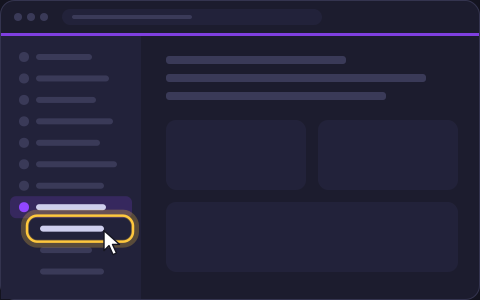
On twitch.tv, open the “Creator Dashboard”. In the left-hand menu, click “Settings”, then “Stream”, or use “Dashboard Search”.
2. Copy the stream key
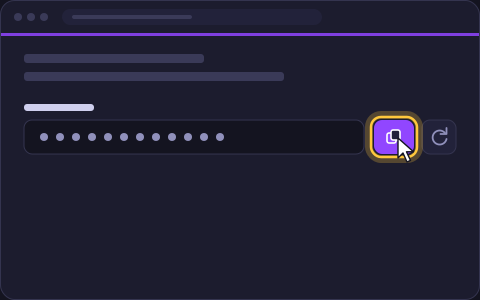
It sits at the top, under “Stream Key & Preferences”. Copy all of it: SplitCam for Android notes that a Twitch key usually starts with live_.
3. Server URL, if an app asks
Only apps that ask for a server need it, like “Custom Server” in SplitCam for iPhone: put rtmp://ingest.global-contribute.live-video.net/app in “Stream URL” and your key in “Stream Key”. That is the “Default” entry in Twitch's ingest list, minus its /{stream_key} ending.
Before you start
Check these first.
Two-factor authentication
Twitch may ask you to turn on two-factor authentication (2FA) before you can stream. Setting it up needs a verified email.
Suspensions
Streaming suspensions last 24 hours to 30 days, and you cannot go live until one ends; Twitch announces them by email and in the Creator Dashboard.
Keep the key secret
Whoever has it can stream to your channel, so never share it or show it on stream. If it leaks, click “Reset” on the Stream page and paste the new key into SplitCam.
Paste it into SplitCam
Use the key from step 2, or sign in to Twitch instead.
App
How to connect
Where it goes
Windows
Sign in, or “Configure manually” and paste the key
Stream Settings → “Add new stream” → Twitch; the server is already filled in
Mac
Sign in (loads your broadcast settings), or “Configure Manually”
Stream Settings → “Add Channel” → Twitch
Android
“Log in with Twitch”, or “Twitch Custom RTMP”
“Channels” → “Add New Channel” → Twitch; a pasted key goes in “Stream Key”
iPhone
“Sign In to Service”, or “Custom Server” by hand
Add a channel → “Choose Channel”; by hand, fill in both fields as in step 3
In all four SplitCam apps, a replay puts the last seconds of your Twitch stream back on screen for viewers.
Twitch stream key: questions
Does my Twitch stream key change?
Twitch mentions no expiry date. The key changes when you click Reset, each time you change your Twitch password, and sometimes when Twitch resets it after an account takeover. After a password change, sign in again in SplitCam or paste the new key.
How do I find my Twitch stream key on mobile?
Twitch does not say whether its phone app shows the key; that app goes live without one. In SplitCam for Android or iPhone, you can skip the key and sign in to Twitch instead.
Why is my Twitch stream key not working?
Twitch lists a wrong key or server among the causes and recommends at least 3 to 6 Mbps of upload. For network problems on the way to Twitch, it suggests another ingest server and a lower bitrate.
How can a co-host stream to my channel without my key?
Add them under Settings, Stream, Permissions, “People who can stream to your channel”. Their guest key starts with live_sub_ and survives your resets; only removing that person cancels it.