Where to find your YouTube stream key and stream URL
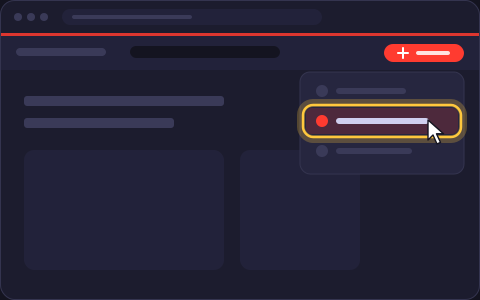
Your YouTube stream key is in YouTube Studio on a computer: click “Create”, then “Go live”, and copy it from the “Stream” tab. Paste it into SplitCam, unless you sign in to YouTube there.
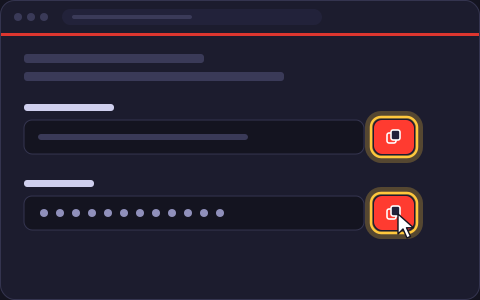
The key: “Stream key”, on the “Stream” tab of the Live Control Room (shortcut: youtube.com/livestreaming).
The YouTube RTMP URL: shown as “Stream URL” in the same panel. SplitCam for Windows and Android have it built in; paste it where SplitCam asks, as in the iPhone “Custom Server”.
In SplitCam: sign in to YouTube or paste the key (where it goes).
What you can do on YouTube with SplitCam
Every SplitCam app is free, and each connects to YouTube differently.
SplitCam for Windows
Sign in to YouTube and SplitCam fetches the key, or paste it yourself. Turn on the vertical canvas for vertical video. No chat panel: read YouTube chat in your browser.
SplitCam for Mac
Sign in to load your YouTube broadcast settings, or choose “Configure Manually”. The splitcam.com version (1.22+) adds a YouTube pop-up to browse, edit and add broadcasts.
SplitCam for Android
Paste your key, then stream your camera, screen or mobile gameplay, vertical or horizontal. Multistream to Twitch, Kick and Facebook too; check their rules on vertical video.
SplitCam for iPhone
Sign in to YouTube or add a “Custom Server” with the URL and key. Stream to several platforms at once and read your chat in the app.
Get your YouTube stream key and server URL
Quoted names follow YouTube Help on 25 November 2026; if YouTube renames a menu, your screen wins.
1. Open the Live Control Room
In YouTube Studio, click “Create” at the top right, then “Go live”. Turning on live streaming for the first time may take up to 24 hours.
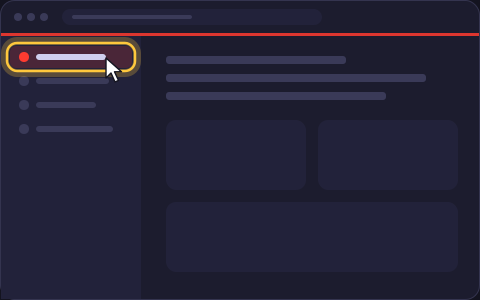
2. Choose the “Stream” tab
Click the “Stream” tab. First live stream? Edit the stream details and click “Create stream”.
3. Copy the key and the server URL
Under “Stream settings”, copy “Stream key” and, if needed, “Stream URL”. Click its lock icon for the rtmps:// address YouTube recommends; if SplitCam rejects it, paste the plain rtmp:// one.
4. Start the stream
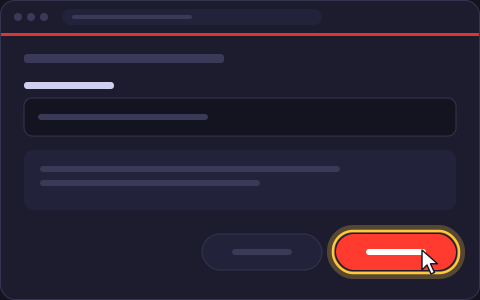
Paste the key into SplitCam and start streaming. If “Auto-start & auto-stop” is off, click “Go live” in the Live Control Room once the preview shows up.
Before you start
Check your channel once; guard the key.
Your channel must be cleared to stream
YouTube requires a verified channel, no live-streaming restrictions in the past 90 days, and age 16 or older.
The same key next time
Streamed before? Your previous settings load with the key, so SplitCam needs no change. For one fixed key: “Select stream key” → “Create new stream key” → “Create”, then pick it from that list.
If the key leaks, reset it
YouTube likens stream keys to your stream's password. Only channel owners and managers can click “Reset” next to the hidden key; then paste the new one into SplitCam. SplitCam 11.0.14+ for Windows keeps YouTube keys out of its log.
Paste it into SplitCam
Signing in saves copying; pasting the key works everywhere.
YouTube is a trademark of its owner; SplitCam is not affiliated with it.
What else you can do
Extras that matter on YouTube.
Add Twitch, Kick and more
Send one show to several platforms (multistreaming), each with its own key: Twitch, Kick, Facebook, Instagram. Sending to each platform directly? Your upload must carry all the streams.
A phone as a second camera
SplitCam 11.0.15+ for Windows turns a phone with the SplitCam app into a camera on the same network, up to 4K if the phone allows. Phone as a webcam →
Replay a highlight
A great play or a funny slip? Replay shows YouTube viewers the last seconds of your stream again; SplitCam has it on Windows, Mac, Android and iPhone.
Alerts on screen
No built-in YouTube alerts: Streamlabs and StreamElements widget links run in a “Web Browser” source (Mac: “Browser”) and Android's “Widgets” layer. Stream widgets →
YouTube stream key: questions
Why is my YouTube stream key not showing?
Check Settings → Channel → Feature eligibility in YouTube Studio. Live streaming on a computer needs a verified phone number. Hit the daily limit for new live streams? YouTube says to wait 24 hours.
How do I find my YouTube stream key on mobile?
YouTube Help describes the key only in YouTube Studio on a computer. Copy it there, then paste it into SplitCam on your phone, or sign in to YouTube on an iPhone.
Can one key run several streams?
YouTube allows at most 3 active streams per key and 10 per channel. For a vertical stream next to a horizontal one, YouTube asks you to pick a second key.
What if my YouTube stream key is not working?
YouTube suggests a new key from the Live Control Room. For an SSL error on rtmps://, make sure the protocol and the server name both say rtmps, then try adding port 443.