The Kick stream URL: the server (RTMP) URL, shown on the same page. Kick's phone and mobile-game articles give it as rtmps://fa723fc1b171.global-contribute.live-video.net:443/app.
In SplitCam: sign in to Kick in any app, or paste both values on Windows, Mac or Android (where they go).
What you can do on Kick with SplitCam
SplitCam is free on all four systems; each app connects to Kick in its own way.
SplitCam for Windows
Sign in to Kick (11.0.13 or newer) and SplitCam fills in the server and the key. Stream to Kick plus Twitch or YouTube at once, each at its own bitrate, and add your game with “Capture Game”.
SplitCam for Mac
Kick sign-in works here too; if the URL and the key stay empty, paste them. Capture the screen or a window and record while you stream.
SplitCam for Android
“Login with Kick” fetches your key and adds Kick chat and the viewer count; “Kick Custom RTMP” takes a pasted URL and key, without chat. Stream the camera, the screen or a mobile game, alone or with other platforms.
SplitCam for iPhone
Sign in to Kick and go live from the phone, on Kick only or on several platforms together.
Get your Kick stream key and server URL
Kick's Help Center showed these labels on 25 November 2026; menus move, so follow your screen.
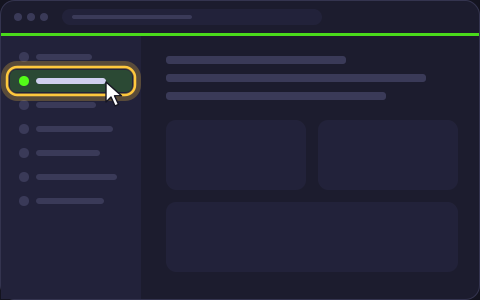
1. Find the key page
Sign in to the Kick account you will stream from, then open dashboard.kick.com/channel/stream. The menu item is “Stream URL & Key”; some Kick articles put it under “Channel”, one under “Settings”.
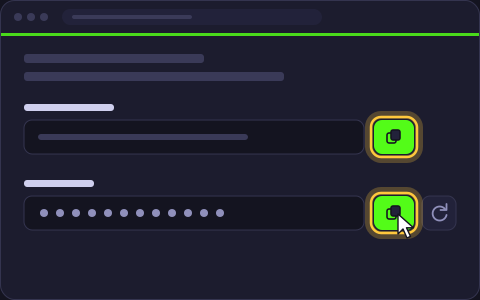
2. Copy both values
Copy the “Stream Key” and the “Stream URL” without extra spaces, as Kick advises.
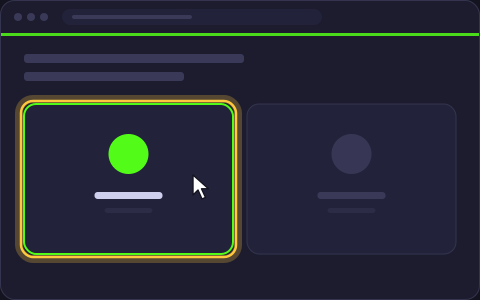
3. Connect SplitCam
Sign in to Kick in SplitCam or paste both values (see the table). No connection? Read the :443/app question below.
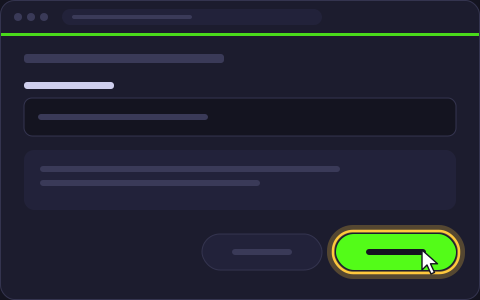
4. Add a title and category
Before going live, set both under “Edit Stream Info” in your Kick dashboard; Kick warns a stream without them may not start correctly.
Before you start
Check these first.
Who can stream
You need a Kick account and must be 13+ (or your country's higher age of digital consent); minors need a parent or guardian involved. Kick also asks you to verify your email and clear any suspension. It recommends 2FA, though no Kick page we read requires it to stream.
How long the key lasts
Kick's help mentions no expiry. “Reset” gives you a new key and Kick does not keep the old one, so update SplitCam before you go live.
Keep the key to yourself
Kick says never to share your key: anyone with it can broadcast on your channel, and Kick staff never ask for it. Keep it off screen during setup and away from a “friend” who needs to “test something”. Leaked? Click “Reset”.
Paste it into SplitCam
Sign in, or paste into these fields.
App
How to connect
Where it goes
Windows
Sign in (11.0.13 or newer) or paste the URL and key
Stream Settings → “Add new stream” → Kick; by hand: “Stream URL”, “Stream Key”, “Save and close”
Kick is a trademark of its owner; SplitCam is not affiliated with Kick.
What else you can do
Four things beyond the key.
Kick plus other platforms
Other platforms each give you a separate key: Twitch, YouTube, Facebook, Instagram. If you are in the KICK Partner Program and also stream to a horizontal platform, switch on Kick's “Multistreaming” toggle (shown once you are live) or risk action on your account. Multistreaming →
Stay within Kick's limits
Kick takes H.264 at a constant bitrate (CBR), up to 1920x1080, 60 fps and 8,000 kbps. SplitCam for Android offers 4K on some phones, so pick “HD 1080p” or lower; one encoder serves every destination.
Alerts and overlays
SplitCam has no Kick alerts of its own: paste a Streamlabs or StreamElements widget link into a “Web Browser” source (“Browser” on a Mac) or the Android “Widgets” layer, if the service supports Kick. Stream widgets →
Replay a moment
Viewers missed a big play? All four SplitCam apps can replay the last seconds of your Kick stream.
Kick stream key: questions
What is the Kick server URL?
The “Stream URL” on your “Stream URL and Key” page. For phone apps, Kick gives rtmps://fa723fc1b171.global-contribute.live-video.net:443/app and says to use exactly that.
Do I need to add :443/app to the Kick URL?
In SplitCam for Android with “Kick Custom RTMP”, yes: Kick asks phone apps for the full address ending :443/app. On Windows or Mac, paste the Stream URL as shown and add the ending only if SplitCam fails to connect.
How do I find my Kick stream key on mobile?
Kick sends phone users to a web link, dashboard.kick.com/channel/stream. In SplitCam for Android or iPhone, sign in to Kick instead.
Why is my Kick stream key not working?
Most often the key is missing or wrong, Kick says, for example reset on Kick but not updated in SplitCam. If the key is right, look at settings over Kick limits, old software, a firewall or antivirus, or a work or school network.