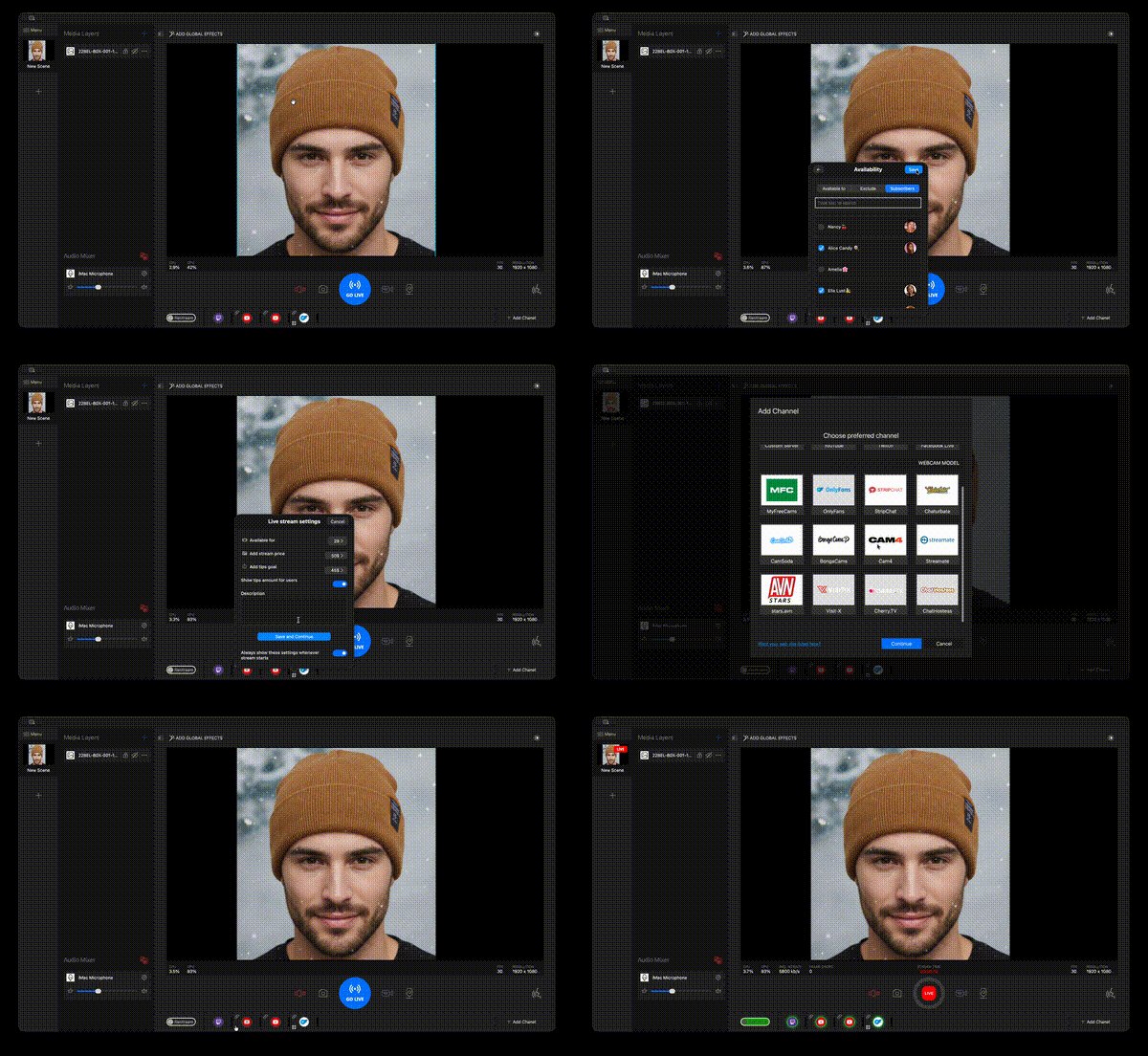
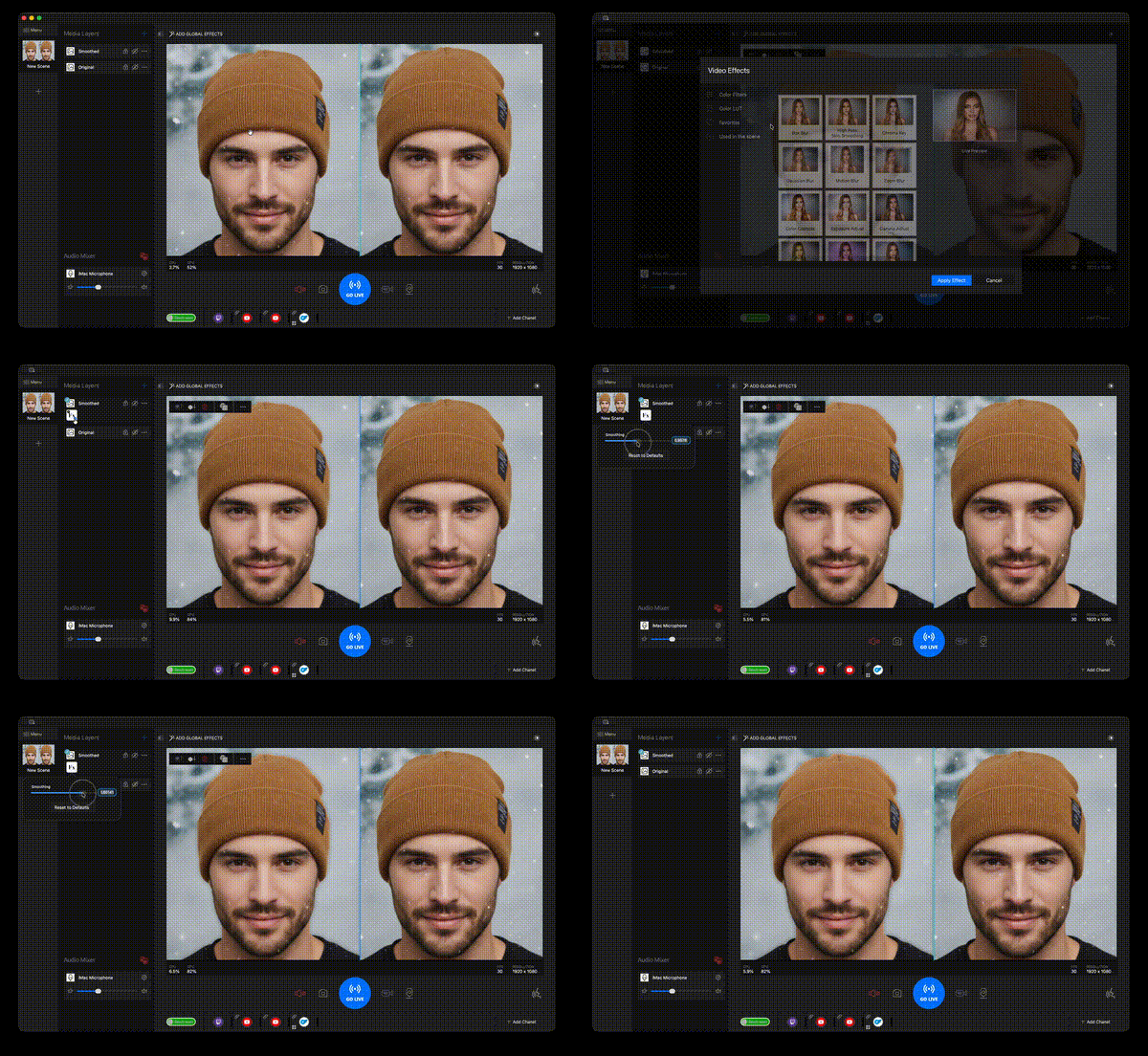
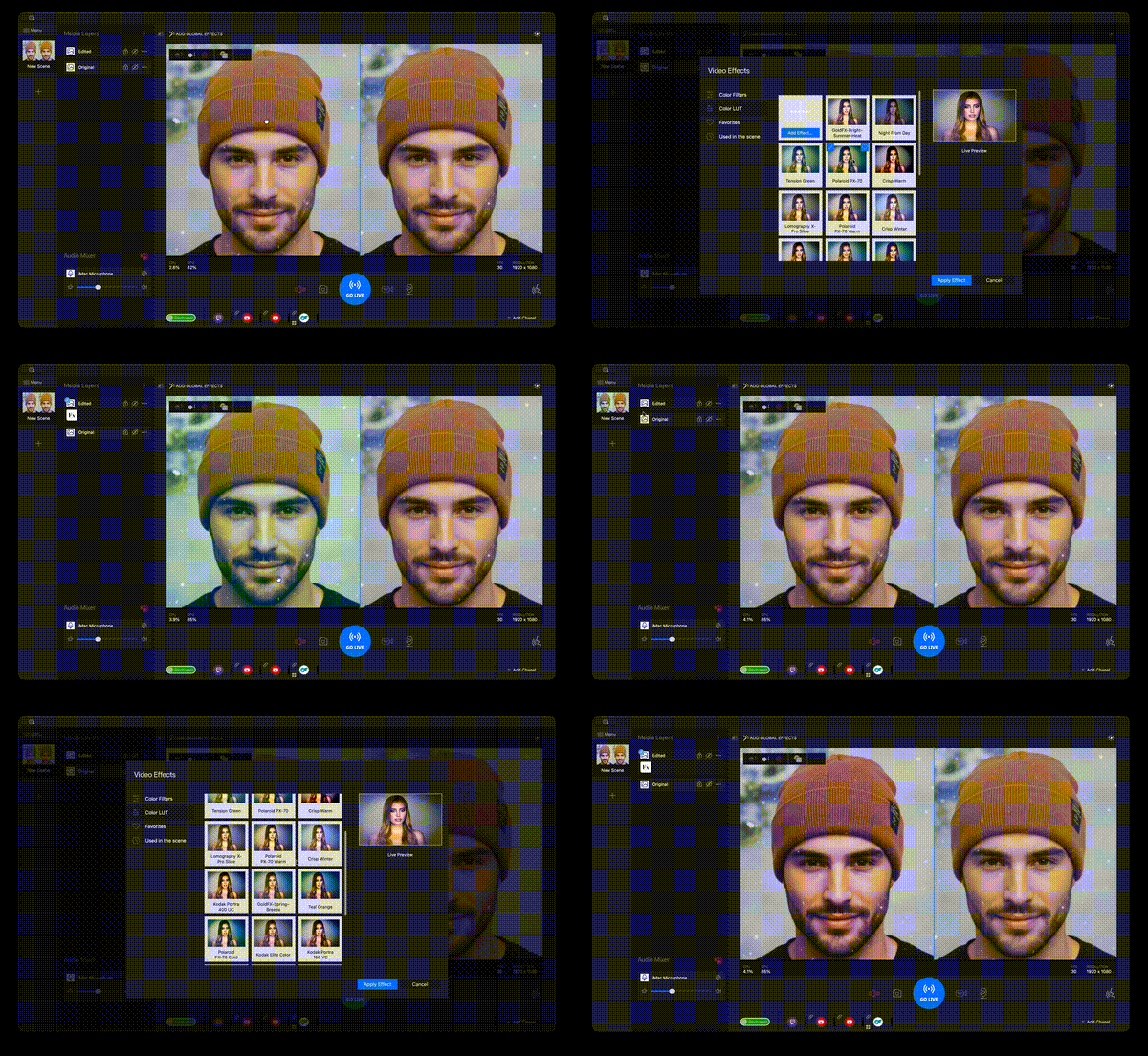
Throughout the reporting period, a comprehensive set of strategic technical decisions was implemented aimed at improving performance, stability, and user experience of SplitCam applications for macOS and iOS platforms. The primary focus was on codebase unification, GPU rendering optimization, deprecation of legacy dependencies, and deep integration with partner services.
Streaming Transport Layer Unification
Migration from FFMPEG to HaishinKit
Completed full migration of the macOS streaming subsystem from FFMPEG library to the native HaishinKit solution. This decision provided:
Transport layer unification across all product versions: App Store macOS version, non-App Store macOS version, and iOS application now utilize a single technology stack for streaming.
Simplified code maintenance — a unified codebase for streaming functionality instead of maintaining two separate implementations in parallel.
Improved App Store compliance — HaishinKit as a Swift-native solution integrates better with the Apple ecosystem and doesn't require additional permissions for external library usage.
Reduced application size by eliminating the heavy FFMPEG dependency.
Video Recording System Optimization
Native Session Recording Implementation
Completely redesigned the video session recording subsystem, replacing FFMPEG with native Apple system APIs (AVFoundation). Results:
Significantly improved recording speed — reduced latency during recording initialization and finalization.
Enhanced stability — eliminated numerous edge cases that led to corrupted files.
Minimized data loss — implemented a more reliable file finalization mechanism that critically reduced instances of lost recorded material during application crashes.
Better macOS integration — system API usage ensures correct operation with the APFS file system and automatic metadata recovery.
OnlyFans Integration
Full-Featured Platform Support
Implemented comprehensive integration with the OnlyFans service: For non-App Store macOS version:
Complete streaming functionality integration directly from the SplitCam interface.
Automatic stream key retrieval and updates.
Support for all available platform streaming settings.
For App Store versions (macOS & iOS):
Integrated OAuth authentication with the OnlyFans service.
Seamless user authorization experience without manual key copying.
Full compliance with App Store Review Guidelines regarding third-party service integration.
SplitCam with OnlyFans login support is now available for download in the Apple's AppStore.
Skin Smoothing Filter Enhancement
Extended Skin Tone Support
Conducted deep rework of the skin recognition algorithm in the Skin Smoothing filter:
Extended color range — the algorithm now correctly processes a significantly wider spectrum of skin tones, ensuring inclusivity for users with different phototypes.
Improved edge detection accuracy — reduced artifacts at boundaries between skin areas and other frame elements.
Adaptive intensity — the algorithm accounts for lighting conditions and dynamically adjusts processing parameters.
Metal Migration
The Skin Smoothing filter was completely rewritten using Metal Shading Language:
Apple requirements compliance — Metal migration is mandatory for supporting modern macOS and iOS versions where OpenGL/OpenCL are deprecated.
Performance improvement — Metal provides lower overhead and better integration with Apple Silicon GPUs.
Future-readiness — ensured compatibility with upcoming generations of Apple hardware.
Streams Panel Redesign
New Broadcast Management User Interface
Completely reimagined and redesigned the streams management panel:
Improved visual hierarchy — clear separation of active, inactive, and problematic channels.
Real-time status indication — users instantly see each broadcast channel's state (connecting, streaming, error, buffering).
Quick action access — contextual controls for each channel without navigating to settings.
Platform consistency — design adheres to modern Apple Human Interface Guidelines.
Complete iOS Application Redesign
User-Friendly Interface
Conducted comprehensive redesign of the iOS version's user interface:
Intuitive navigation — reimagined application information architecture to minimize steps to core functions.
Optimization for various screen sizes — adaptive layout for all supported devices from iPhone SE to iPad Pro.
Touch-first design — enlarged tap areas, gesture-based interaction, haptic feedback.
Simplified onboarding — new users can start working with the application more easily.
Modern visual style — updated color scheme, typography, and iconography in line with current iOS design trends.
LUT Library Expansion
Premium Color Preset Collection
Significantly expanded the built-in LUT filter library for macOS and iOS:
LUT Library Expansion
19 carefully curated presets — each LUT underwent testing on diverse content and lighting conditions.
Streaming optimization — all LUTs verified for absence of artifacts during video compression.
Real-time preview — users can quickly preview each preset's effect before applying.
Video File Layer Optimization
Native Video Player Implementation
The Video File layer was completely transitioned from FFMPEG to Apple system solutions (AVFoundation):
Improved energy efficiency — native decoders are optimized for Apple hardware and consume significantly less power, which is critical for MacBooks on battery.
Hardware-accelerated decoding — full utilization of Video Toolbox capabilities for H.264/H.265/ProRes decoding.
Enhanced performance — reduced CPU and memory load during video file playback.
Modern format support — automatic support for all formats supported by macOS/iOS, including HDR content.
GPU Rendering Optimization
20-30% CPU Load Reduction
Conducted deep optimization of the scene rendering pipeline for both platforms. Architectural improvements:
Offloaded more computations from CPU to GPU.
Optimized layer compositing algorithms.
Reduced draw call count through operation batching.
Individual layer Metal optimization:
Rewrote critical layers using Metal compute shaders.
Implemented more efficient GPU buffer management.
Audio-video synchronization improvements:
Reimagined buffering architecture for layers with simultaneous audio and video content.
Reduced synchronization latency.
Optimized buffer memory consumption.
Looking Ahead
As we move forward, our team continues to focus on developing an even better user interface while conducting in-depth UX research. This ongoing investment in user experience will strengthen our competitive position against similar applications both within the App Store and in the broader market.
We remain committed to improving the stability and performance of our applications, ensuring that SplitCam delivers a reliable, high-quality experience for all users across macOS and iOS platforms.
We have ambitious plans for 2026 and are excited about the opportunities ahead to further enhance our product and deliver even greater value to our users.